Every light in the house, one tap away.
Snowlight runs a home's lights, shades and climate from your iPhone, and gets the house ready for a showing in one tap.
Coming soon to the App Store for iPhone.
For agents and sellers
Start showing. End showing. That's it.
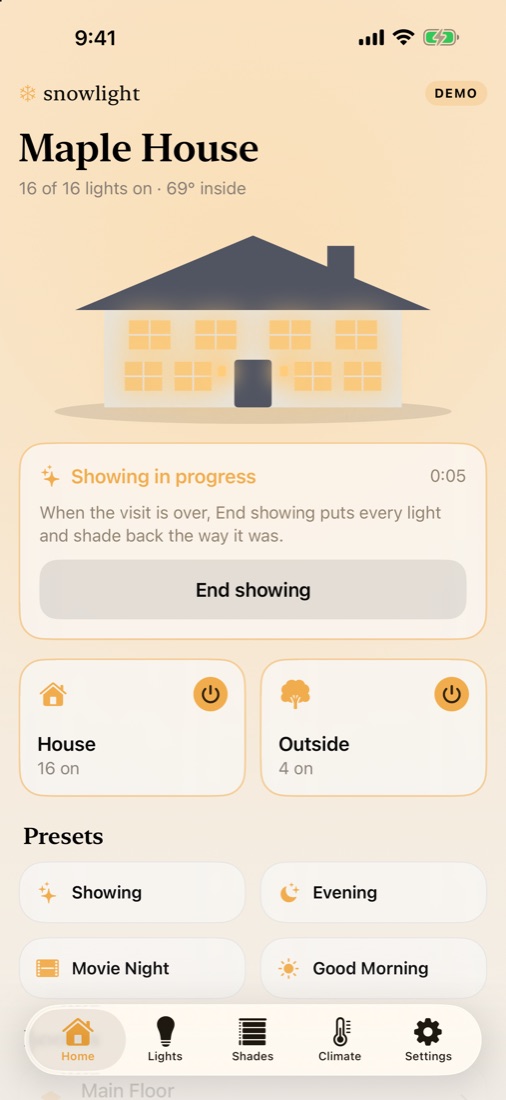
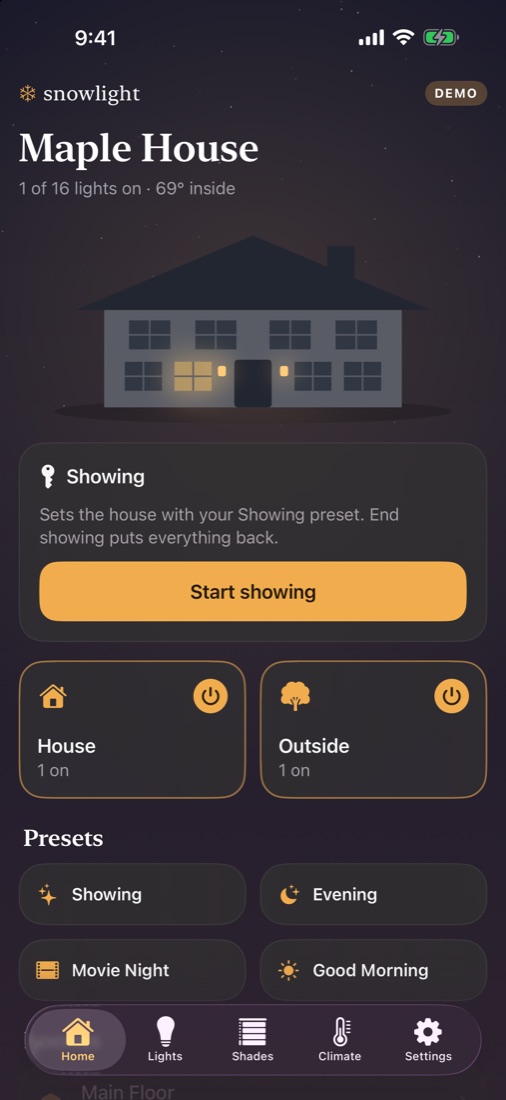
A house shows best with every room lit and the shades open. Snowlight does it in one tap, and when the visit is over, puts every light and shade back exactly the way the owner left it.
- 1Walk in and tap Start showing. Snowlight saves how every light and shade is set.
- 2The house lights up, using the owner's own Showing preset if they've made one.
- 3Tap End showing on the way out. Everything goes back.
For homeowners
The whole house at a glance.
A drawing of the house shows which rooms are lit. Turn the whole house or just the outside on and off, run a scene, or go room by room.
The app even matches the house: dark when the lights are off, bright as day when they're on.
Every light
Dim or switch any light, a room at a time or a whole floor at once.
Shades and climate
Open and close shades, and set each thermostat's mode and temperature.
Presets
Evening, Movie Night, Good Morning: one tap sets lights, shades and temperature together.
Private by design
It stays in the house.
Snowlight connects to a Snowlight Hub on the home's own Wi-Fi. There's no account to create, nothing is tracked, and nothing about the home goes to the cloud.
Talk to us about your listings